Oracle 12c SE to 19c SE2 CDB Migration: A Field-Tested Runbook with Ansible Automation

Oracle ACE Program | May 2026 | Non-CDB to CDB | Data Pump Full Export/Import | APEX 24.1 | ORDS
Overview
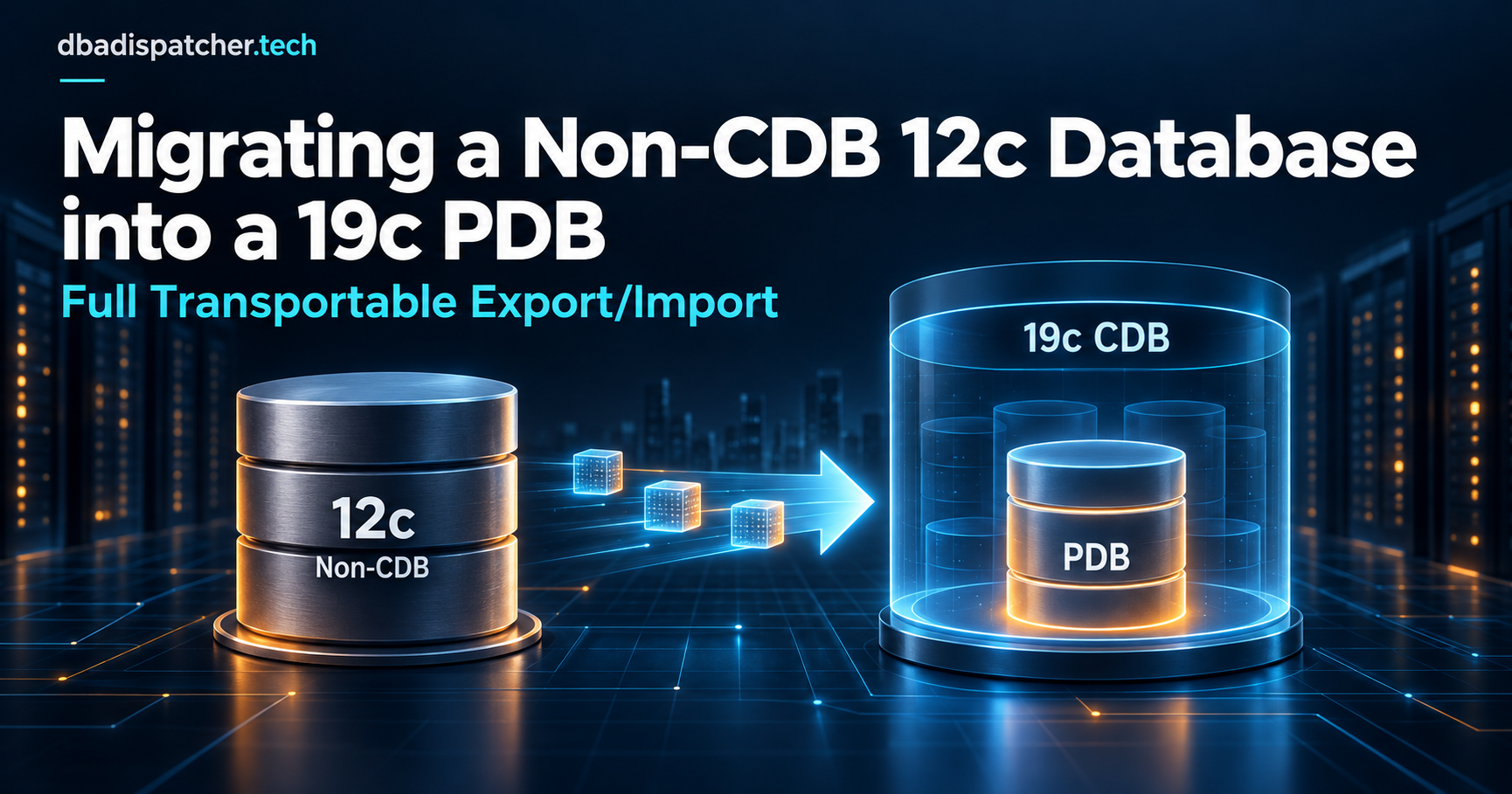
This runbook documents a live migration of an Oracle 12c Standard Edition non-CDB database to Oracle 19c Standard Edition 2 as a Pluggable Database (PDB) within a new CDB. It covers planning, Ansible automation, Data Pump export/import, APEX upgrade, ORDS/DAD reconfiguration, and the real-world issues encountered and resolved during execution.
The migration was fully automated using Ansible playbooks developed specifically for this engagement. The approach is repeatable and has been generalized for use across multiple client environments.
Environment
| Component | Details |
|---|---|
| Source | Oracle 12c SE, non-CDB, Oracle Linux |
| Target | Oracle 19c SE2 CDB (RU 19.24), Oracle Linux 9 / UEK R7 |
| Target CDB name | cdb01 |
| Target PDB name | MYAPPDB |
| Migration method | Data Pump full export → import into PDB |
| Ansible control node | <ansible-control-node> |
| Oracle home | /u00/app/oracle/product/19.0.0.0/dbhome_1 |
| Export staging | /t00/datapump/migration (NFS share, 2.5 TB) |
| PDB datafiles | /d1/oradata |
| RMAN backups | /b0/fast_recovery_area |
| APEX version | 24.1.6 (fresh install + patch 36695709) |
| CDB parameters | SGA=33G, PGA=7G, FRA=1160G, max_pdbs=3, AL32UTF8 |
Storage Planning
Storage gaps must be identified before cutover. Underestimating datafile growth is a common failure point in CDB migrations.
| Mount | Purpose | Notes |
|---|---|---|
| /t00 | NFS — export staging, software | Shared between source and target |
| /u00 | Oracle 19c home | Read-only home enabled |
| /p00 | tnsnames.ora, sqlnet.ora, wallet | Shared config |
| /d0 | CDB system datafiles | db_create_file_dest for CDB |
| /d1 | PDB datafiles | Primary data storage |
| /b0 | RMAN backups / FRA | Sized for 2x database for image copies |
| /b1 | PDB-specific backups | Created by playbook |
Storage Gap Analysis: Before go-live, calculate: DB size + 25% growth headroom for
/d1; DB size × 2 for RMAN image copy backups on/b0. Uselvextendto expand volumes as needed. Storage gaps discovered too late are the #1 cause of failed cutovers.
Oracle 19c Software Installation
Oracle 19c was installed with a read-only Oracle home (orabasehome pattern). The following patches were applied before CDB creation:
| Patch | Description |
|---|---|
| 36582781 | Release Update 19.24 |
| 36587798 | Oracle Connection Manager (OCW) |
| 36414915 | OJVM RU 19.24 |
| 32249704 | One-off patch |
The CDB was created via DBCA with the following key parameters:
max_pdbs=3AL32UTF8character setListener ports: 1521 (default) and 1526 (application)
FRA at
/b0/fast_recovery_area, sized to 1160 GBsystemdserviceoracle-database.serviceenabled for auto-startRMAN image copy backup scheduled daily at 20:00
Ansible Playbook Architecture
The migration was fully automated using a multi-role Ansible playbook. The playbook is idempotent and tagged by phase, allowing individual stages to be re-run independently.
Playbook Structure
site.yml                          # Master orchestration (7 phases, tagged)
inventory/hosts.ini               # source and target hosts
inventory/group_vars/all.yml      # Shared variables
inventory/group_vars/all/vault.yml # Encrypted passwords (ansible-vault)
roles/
  precheck_source/               # Source DB validation
  precheck_target/               # Target server validation
  export/                        # Data Pump export on source
  transfer/                      # NFS or rsync transfer
  create_pdb/                    # PDB creation and tablespace setup
  import_data/                   # Data Pump import phases
  postcheck/                     # Validation and recompile
playbook/create_and_import_pdb.yml # Main import playbook
Key Playbook Variables
pdb: MYAPPDB
pdb_number: 1
source_host: <source-db-server>
dump_dir: /t00/datapump/migration
db_port: 1526
apex_cdn: https://static.oracle.com/cdn/apex/24.1.6/
initiate_backup_on_complete: true
Execution Command
ansible-playbook playbook/create_and_import_pdb.yml \
  --extra-vars 'pdb=MYAPPDB pdb_number=1 \
    pdbadmin_pwd=<password> apex_pwd=<password> \
    source_host=<source-db-server> \
    initiate_backup_on_complete=true' \
  --diff
Data Pump Import Phases
The import was broken into discrete phases to allow targeted re-runs and to sequence dependent objects correctly. Each phase writes its own log file, and the playbook checks for log existence to implement idempotency.
| Phase | Description | Log file |
|---|---|---|
| 1. Roles | Import all roles | impdp_roles.log |
| 2. APEX install | Fresh APEX 24.1 install + patch + CDN config | SQL*Plus output |
| 3. Users first run | Import all schemas — first pass | impdp_users_1.log |
| 4. APEX workspaces | Import APEX workspaces and applications | impdp_apex.log |
| 5. APEX settings | Configure 50+ instance-level APEX parameters | SQL*Plus output |
| 6. Pre-import prep | Disable constraints, triggers, drop sequences | SQL*Plus output |
| 7. Users second run | Import all schemas — second pass (resolves circular deps) | impdp_users_2.log |
| 8. Targeted tables | Import of large tables that need special handling | impdp_tables.log |
| 9. Post-import | Enable constraints/triggers, utlrp, grants, synonyms | SQL*Plus output |
Why Two User Import Passes? The first pass imports all schema objects. Many grants and cross-schema references fail because the target schema does not yet exist when the grant is processed. The second pass resolves these by re-running after all schemas are present. This is the recommended pattern for complex multi-schema databases.
Tablespace Creation
All tablespaces were pre-created before import using a SQL script generated from the source database.
The 32767M Datafile Limit
Oracle datafiles cannot exceed 32767 MB in smallfile tablespaces. Three tablespaces on the source had MAXSIZE values exceeding this limit and required adjustment:
| Tablespace | Source MAXSIZE | Target MAXSIZE |
|---|---|---|
| CEN_DATA02 | 40960M | 32767M |
| PERFSTAT | 32768M | 32767M |
| LOB_DATA01 | 540672M | 17 × 32767M datafiles (544 GB total) |
Multi-Datafile Tablespace — Shell Heredoc Issue
The multi-datafile CREATE TABLESPACE syntax fails when passed through a shell heredoc because SQL*Plus interprets the continuation lines incorrectly (ORA-02197: file list already specified). The fix is to use CREATE followed by ALTER TABLESPACE ADD DATAFILE statements:
-- WRONG: fails through shell heredoc
CREATE TABLESPACE LOB_DATA01
  DATAFILE SIZE 1M AUTOEXTEND ON NEXT 128M MAXSIZE 32767M
  DATAFILE SIZE 1M AUTOEXTEND ON NEXT 128M MAXSIZE 32767M;  -- ORA-02197

-- CORRECT: CREATE + ALTER pattern
CREATE TABLESPACE LOB_DATA01
  DATAFILE SIZE 1M AUTOEXTEND ON NEXT 128M MAXSIZE 32767M;

ALTER TABLESPACE LOB_DATA01
  ADD DATAFILE SIZE 1M AUTOEXTEND ON NEXT 128M MAXSIZE 32767M;
-- Repeat ALTER for each additional datafile needed
Issues Encountered and Resolutions
The following issues were encountered during the live migration. Each is documented with root cause and resolution for future reference.
Issue 1: ORA-12154 — TNS Could Not Resolve Service Name
Root cause: The target server had no tnsnames.ora entry for the source database. The impdp process on the target could not resolve the source PDB service name.
Resolution: Add a tnsnames.ora entry on the target pointing to the source listener:
MYAPPDB =
  (DESCRIPTION =
    (ADDRESS = (PROTOCOL = TCP)(HOST = <source-db-server>)(PORT = 1521))
    (CONNECT_DATA = (SERVICE_NAME = myappdb.<your-domain>)))
Issue 2: Stale impdp Log Files After PDB Recreation
Root cause: The playbook uses log file existence to determine whether a phase has already run (idempotency). After the PDB was dropped and recreated, stale log files from previous runs caused the playbook to skip the user import phases entirely. Schemas were never imported, causing all subsequent steps to fail with ORA-01918: user does not exist.
Resolution: Before re-running the playbook after any PDB recreation, delete all impdp log files:
rm /t00/<source-db-server>/<pdb-name>/export/impdp_users_1.log
rm /t00/<source-db-server>/<pdb-name>/export/impdp_users_2.log
rm /t00/<source-db-server>/<pdb-name>/export/impdp_tables.log
rm /t00/<source-db-server>/<pdb-name>/export/impdp_roles.log
rm /t00/<source-db-server>/<pdb-name>/export/impdp_apex.log
Key Lesson: Log-file-based idempotency is fragile after PDB recreation. A more robust approach is to query the data dictionary to verify whether objects actually exist before skipping a phase, rather than relying solely on log file presence.
Issue 3: APEX PRINT_SVR_TIMEOUT Removed in 24.1
Root cause: The APEX instance settings script included PRINT_SVR_TIMEOUT, which was removed in APEX 24.1. The set_parameter call fails with ORA-20987: Instance parameter not found.
Resolution: Remove PRINT_SVR_TIMEOUT from the APEX instance settings script. The parameter no longer exists in APEX 24.1.
Issue 4: ORA-02030 — Cannot Grant on v$pdbs Directly
A grant on v$pdbs fails from within a PDB context. Use the underlying fixed view instead:
-- WRONG
GRANT SELECT ON v$pdbs TO app_owner;  -- ORA-02030

-- CORRECT
GRANT SELECT ON sys.v_$pdbs TO app_owner;
Issue 5: PDB in Restricted Mode After Import
Root cause: Data Pump sets the PDB to restricted mode during certain full import operations. ORDS reports ORA-01035: ORACLE only available to users with RESTRICTED SESSION privilege.
Diagnosis:
-- Check from CDB root
SELECT con_id, name, open_mode, restricted FROM v$pdbs;
-- RESTRICTED = YES confirms the issue
Resolution:
ALTER SESSION SET CONTAINER = MYAPPDB;
ALTER SYSTEM DISABLE RESTRICTED SESSION;

-- Verify
SELECT con_id, name, open_mode, restricted FROM v$pdbs WHERE name = 'MYAPPDB';
-- Should show RESTRICTED = NO
If ALTER SYSTEM does not clear it, close and reopen the PDB:
ALTER PLUGGABLE DATABASE MYAPPDB CLOSE IMMEDIATE;
ALTER PLUGGABLE DATABASE MYAPPDB OPEN;
ALTER PLUGGABLE DATABASE MYAPPDB SAVE STATE;
Add to Playbook: Add an explicit
ALTER SYSTEM DISABLE RESTRICTED SESSIONstep immediately after the import completes, before any ORDS or application connectivity checks. This issue will occur on every import run.
Issue 6: ORDS Connection Pool User Locked
Root cause: The ORDS low-privilege pool user account was locked during import due to failed connection attempts against the restricted PDB. ORDS reports ORA-28000: The account is locked.
Diagnosis:
SELECT username, account_status, lock_date
FROM dba_users
WHERE account_status != 'OPEN'
ORDER BY lock_date DESC;
Resolution:
ALTER SESSION SET CONTAINER = MYAPPDB;
ALTER USER <ords-pool-user> ACCOUNT UNLOCK;

-- If also expired:
ALTER USER <ords-pool-user> IDENTIFIED BY <password> ACCOUNT UNLOCK;
After unlocking, restart ORDS if the pool does not reconnect automatically:
sudo systemctl restart ords
Issue 7: ORA-65040 — Cannot Create Public Synonym from PDB
Certain public synonyms (such as PLAN_TABLE) cannot be created from within a PDB context. The error is expected and harmless — PLAN_TABLE is a system-provided synonym at the CDB level.
Resolution: Remove the affected synonym from the create_synonyms.sql script. No action required.
Issue 8: ORA-00995 — Invalid Synonym Identifier
A public synonym with an internally-generated name starting with a special character (e.g. /1a9c9a96_...) cannot be created as a synonym — the name is not a valid Oracle identifier.
Resolution: Remove the affected synonym from the script. The underlying object is an internal APEX artifact that is recreated correctly by the APEX installation itself.
APEX Migration
Approach: Fresh Install
Rather than migrating the existing APEX installation via Data Pump, a fresh APEX 24.1 installation was performed in the target PDB. APEX workspaces and applications were then imported separately using a dedicated Data Pump dump file created from the source.
This approach avoids compatibility issues between APEX versions and ensures the target has a clean, fully-patched APEX schema before application data is loaded.
Installation Sequence
Install APEX 24.1 base release (
apexins.sql) in silent modeApply patch 36695709 (APEX 24.1.6)
Configure CDN image prefix:
https://static.oracle.com/cdn/apex/24.1.6/Import APEX workspaces and applications from source dump
Configure instance-level parameters to match source
Key APEX Instance Settings That Differ From Defaults
| Parameter | Target Value | Notes |
|---|---|---|
| EXPIRE_FND_USER_ACCOUNTS | N | Default in 24.1 is Y — causes immediate account expiry |
| STRONG_SITE_ADMIN_PASSWORD | N | Default is Y |
| LOGIN_THROTTLE_DELAY | 0 | Default is 5 |
| MAX_LOGIN_FAILURES | 10 | Default is 4 |
| MAX_SESSION_IDLE_SEC | 0 | Default is 3600 |
| MAX_SESSION_LENGTH_SEC | 0 | Default is 28800 |
| MAX_WEBSERVICE_REQUESTS | 10000 | Default is 1000 |
| PRINT_BIB_LICENSED | STANDARD | Default is NONE |
| SMTP_HOST_ADDRESS | <smtp-server> |
Default is localhost |
| WALLET_PATH | file:/home/oracle/wallet/APPSMTP |
Required for SMTP TLS |
ORDS and DAD Configuration
Connection Pool
ORDS uses named connection pools per PDB. The pool name follows the pattern |<pdb_name>|lo| for the low-privilege user and |<pdb_name>|hi| for the privileged user.
# ORDS pool configuration
db.hostname=<target-db-server>
db.port=1526
db.servicename=myappdb.<your-domain>
db.username=<ords-public-user>
DAD Migration Checklist
Update
db_hostnameto target server FQDNUpdate
db_portto target listener portRe-obfuscate passwords against the new OHS home (obfuscated passwords are OHS-installation-specific)
Verify
request_validation_functionreferences for any DADs that use custom validationTest each DAD endpoint after ORDS restart
ORDS Troubleshooting Reference
| ORDS Error | Cause | Resolution |
|---|---|---|
| ORA-01035 RESTRICTED SESSION | PDB in restricted mode after import | ALTER SYSTEM DISABLE RESTRICTED SESSION |
| ORA-28000 account locked | Pool user locked during import | ALTER USER <pool_user> ACCOUNT UNLOCK |
| ORA-12154 TNS resolution | Missing tnsnames entry on target | Add tnsnames.ora entry for source |
| 503 after fix | ORDS holding stale pool state | Restart ORDS service |
Post-Import Checklist
Immediate — Before Declaring Migration Complete
Disable restricted session:
ALTER SYSTEM DISABLE RESTRICTED SESSIONUnlock application service accounts (ORDS pool users, selfservice accounts)
Run
utlrp.sqlto recompile all invalid objectsCheck invalid object count:
SELECT count(*) FROM dba_objects WHERE status = 'INVALID'Run targeted imports for any tables that failed due to missing schemas
Re-enable constraints and triggers
Verify table row counts against source for key tables
Test APEX login and application functionality
Test each ORDS/DAD endpoint
Review alert log for ORA- errors
Before Production Cutover
Change SYS, SYSTEM, and pdbadmin passwords from migration defaults
Run
lvextendon/d1if storage headroom is insufficient (target: DB size + 25%)Run
lvextendon/b0for RMAN image copy backups (target: DB size × 2)Verify RMAN backup completes successfully
Verify
oracle-database.servicestarts correctly after simulated rebootConfigure monitoring and alerting for the new PDB
Update DNS/load balancer entries for application endpoints
Document final connection strings for application teams
Playbook Improvements for Future Runs
Add
ALTER SYSTEM DISABLE RESTRICTED SESSIONafter import completesAdd automatic unlock of application service accounts post-import
Replace log-file idempotency with data dictionary checks
Remove
PRINT_SVR_TIMEOUTfrom APEX instance settings script (removed in 24.1)Use
CREATE+ALTER ADD DATAFILEpattern for all large tablespacesAdd pre-flight storage gap check that fails early if headroom is insufficient
Security Considerations
All passwords are stored in Ansible vault (
ansible-vault encrypt_string). Never store plaintext passwords in playbook variables or inventory files.The
pdbadminpassword used during migration must be changed before production use.SYS and SYSTEM passwords must be changed before production use.
ORDS pool user passwords should be rotated after migration and stored in the ORDS wallet, not in plaintext configuration files.
Obfuscated OHS passwords (
@B...) must be re-obfuscated against the new OHS home after migration. Obfuscation is tied to the OHS installation.Review
DBA_SYS_PRIVSfor any overly-broad grants carried over from the source.
Key Takeaways
What Worked Well
Breaking the import into discrete, logged phases made it easy to re-run individual steps without starting over
Installing APEX fresh and importing workspaces separately avoided version compatibility issues
Pre-creating all tablespaces before import prevented mid-import failures on large LOB tablespaces
The Ansible playbook reduced a complex multi-hour manual process to a single command
What to Watch Out For
Stale log files after PDB recreation silently skip import phases — always clean logs before re-running
The PDB will be in restricted mode after a Data Pump full import — always add
DISABLE RESTRICTED SESSIONto your post-import stepsMulti-datafile
CREATE TABLESPACEfails through shell heredocs — useCREATE+ALTER ADD DATAFILEAPEX instance parameters change between versions — always compare source vs target after APEX install
Storage gaps discovered at cutover time cause emergency outages — calculate and provision storage during planning, not during execution
The Non-CDB to CDB Shift
Moving from a non-CDB to a CDB architecture changes several operational assumptions:
Public synonyms cannot be created from within a PDB for CDB-level objects (
ORA-65040)v\(views must be granted assys.v_\)<view>from within a PDBEach PDB has its own
DEFAULTprofile — profile limits from the source must be re-applied explicitlyPDB restricted mode is separate from CDB restricted mode — check
v\(pdbs.restricted, not justv\)instance.loginsRMAN backup strategies need to account for CDB-level vs PDB-level backup scope
Platform: Oracle 19c SE2 (19.24.0.0.0) | APEX 24.1.6 | Ansible 2.x | Oracle Linux 9
All client-specific identifiers have been generalized. This runbook is based on a live migration engagement conducted in May 2026.