Migrating a Non-CDB 12c Database into a 19c PDB with Full Transportable Export/Import
A step-by-step guide to FTEX, PDB targeting, and cutting outage windows with RMAN incremental backups
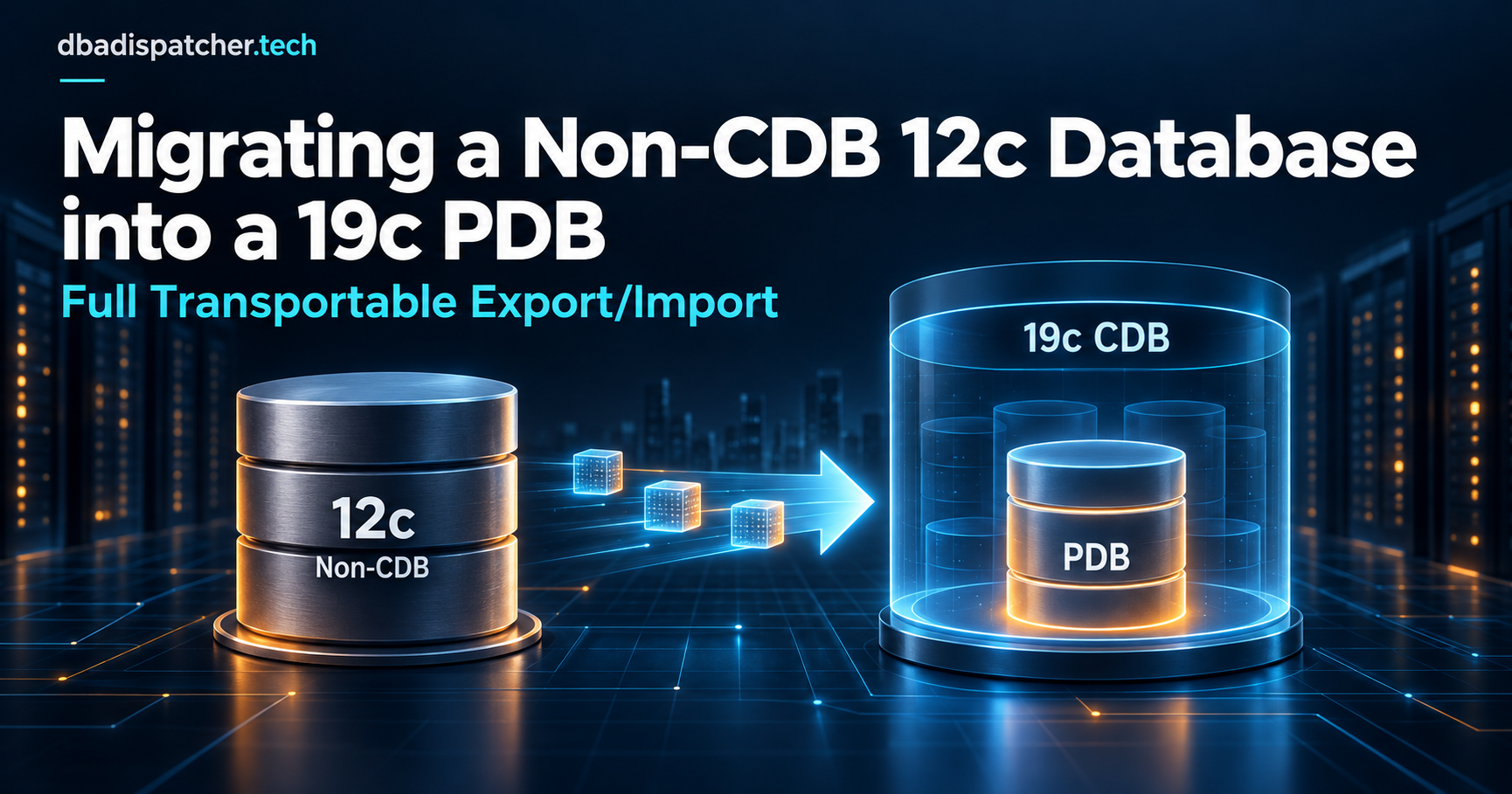
12c is out of Premier Support, and if you're still running it, the calendar is already forcing your hand. For most shops moving off 12c today, the destination isn't just "19c." It's a 19c container database, with your old non-CDB landing as a pluggable database inside it. That's an extra dimension on top of the version jump: you're not just upgrading, you're also converting the database's fundamental architecture.
I've done this move (non-CDB 12c source, multitenant 19c target) a number of times on Standard Edition 2 environments, where Data Guard isn't licensed and a straight expdp/impdp of everything gets painfully slow once you're past a few hundred GB. The technique that gets you there fastest with the least manual bookkeeping is Full Transportable Export/Import (FTEX): it physically transports your datafiles the way transportable tablespaces always have, but wraps the entire database's metadata, not just individual tablespaces, into one Data Pump job that lands directly inside a PDB.
This post covers how that works end to end: why FTEX is the right tool for a non-CDB-to-PDB move specifically, what to check before you touch anything, the step-by-step procedure including the PDB-specific pieces, and the gotchas that are unique to landing in a multitenant target instead of another non-CDB.
Why FTEX for this specific move
A few other paths exist, and it's worth being clear on why they don't fit as well when the target is a PDB:
noncdb_to_pdb.sql is Oracle's tool for plugging a non-CDB in physically, but that path assumes you're already running the non-CDB at the target's release level (or close to it) before you plug it in, since it's a structural conversion, not a version upgrade. Going 12c-to-19c in one step isn't what it's built for.
Classic Data Pump full export/import (expdp full=y / impdp full=y without transportable) into a PDB works fine, but it unloads and reloads every row through the Data Pump API. On any database of real size that's hours of CPU-bound work on both ends: your downtime window is export time plus import time plus every index rebuild.
Full transportable export/import gets you the speed of transportable tablespaces (physically copying datafiles instead of unloading and reloading rows) while still handling all the database-level metadata (users, roles, PL/SQL, sequences, grants, everything outside the tablespaces themselves) that a non-CDB carries, in one full=y transportable=always job. And critically, Data Pump knows how to target a PDB directly: point the import at the PDB's service name and the database lands where you want it, already inside the container, without a separate physical-plug step. For a same-platform, same-endian move (which is what most 12c-to-19c upgrades are, since you're staying on Linux x86-64), it's the least amount of manual work for the downtime you save.
What this requires
| Requirement | Source (non-CDB 12c) | Target (19c PDB) |
|---|---|---|
| Minimum release | 11.2.0.3+ (with VERSION=12 on export) |
12c or later (19c CDB, PDB already created) |
COMPATIBLE |
12.0.0 or higher | 19.0.0 or higher, and never lower than the source |
| Platform | Must match target, or be a supported cross-platform pair with matching endian format | N/A |
| Data Pump role | DATAPUMP_EXP_FULL_DATABASE |
DATAPUMP_IMP_FULL_DATABASE (granted inside the PDB), plus CDB_DBA to administer the container |
| Connection target | N/A | The PDB's service, never the CDB root or the seed |
The COMPATIBLE rule catches people: Oracle computes the lowest compatibility level the target must run at, and the target has to be equal to or higher than the source. Set the 19c CDB's COMPATIBLE to 19.0.0 (or your current patch baseline). Don't assume it's already there if the CDB was provisioned from an older template.
A few hard limitations that apply regardless of CDB/non-CDB, straight from Oracle's documentation on the feature:
- Objects spanning both administrative tablespaces (
SYSTEM,SYSAUX) and user-defined tablespaces can't be transported; they need to be redefined into one or the other, or moved with conventional Data Pump instead. - Encrypted tablespaces can't cross endian formats. Same-endian is fine with
ENCRYPTION_PWD_PROMPT=YES(orENCRYPTION_PASSWORD) on both export and import. - Going over the network (
NETWORK_LINK) instead of a dump file, auditing can't be enabled on administrative-tablespace tables whose audit trail lives in a user-defined tablespace.
And two that are specific to landing in a PDB:
- Never run Data Pump connected to the CDB root or
PDB$SEED. You'll getORA-39357telling you Data Pump operations aren't meant to run there. Always connect to the target PDB's service. - Common users need to already exist, or get remapped. If your non-CDB source has a user that happens to match the
C##common-user naming pattern anywhere in its export, importing it as-is into a PDB throwsORA-65094: invalid local user or role name. In practice this rarely bites you coming from a genuine non-CDB (they don't have common users), but it's worth knowing if your source was ever itself a PDB in an earlier life.
Pre-migration checks
1. Confirm platform and endian format match.
SELECT d.PLATFORM_NAME, tp.ENDIAN_FORMAT
FROM v$transportable_platform tp, v$database d
WHERE tp.PLATFORM_NAME = d.PLATFORM_NAME;
Same endian on both ends (typical for a Linux-to-Linux move) means a plain file copy. Different endian means converting datafiles with DBMS_FILE_TRANSFER or RMAN CONVERT as an extra step first, and RMAN conversion doesn't support datafiles containing undo segments.
2. Run the self-containment check on the source.
EXEC DBMS_TTS.TRANSPORT_SET_CHECK('APP_DATA,APP_IDX', TRUE);
SELECT * FROM transport_set_violations;
Fix anything that comes back (a stray index or LOB segment in the wrong tablespace, a partitioned object split across tablespaces you didn't intend to move together) before export, not during the window.
3. Check COMPATIBLE on the target CDB, per the table above.
4. Create the target PDB ahead of time. This is the step that doesn't exist in a non-CDB-to-non-CDB move. Provision an empty PDB in the 19c CDB, either from PDB$SEED or cloned from a template that already carries your standard local users, roles, tablespace layout, and profiles if you have one:
CREATE PLUGGABLE DATABASE app_pdb
  ADMIN USER pdb_admin IDENTIFIED BY "a_real_password"
  FILE_NAME_CONVERT = ('/u01/oradata/pdbseed/', '/u01/oradata/app_pdb/');

ALTER PLUGGABLE DATABASE app_pdb OPEN;
ALTER PLUGGABLE DATABASE app_pdb SAVE STATE;
Give the PDB local undo (the 19c default for new PDBs) and make sure its character set matches the source non-CDB's. FTEX doesn't convert character sets, so a mismatch here isn't something you fix during import.
5. Confirm DATA_PUMP_DIR exists inside the PDB, not just the CDB root. Since 12.2, the default Data Pump directory is scoped per-PDB. Check it from inside the target PDB, not by assuming whatever's defined at the root applies:
ALTER SESSION SET CONTAINER = app_pdb;
SELECT * FROM dba_directories WHERE directory_name = 'DATA_PUMP_DIR';
6. Size the datafiles and plan the copy. FTEX doesn't reduce the number of bytes moved, only the CPU work of moving them. Budget real time if you're crossing a WAN link between datacenters, very much the case if an external storage provider like Rackspace is in the picture. For anything sizable, don't plan on a single cold copy inside the window; see the next section.
Cutting the outage window on large databases
FTEX moves the metadata fast, but it doesn't shrink the number of bytes the datafiles themselves take to copy. On a database of a few hundred GB over a good link, that's tolerable inside a normal window. On a multi-TB database, or a modest one crossing a slow WAN link to an external storage provider, the datafile copy becomes the whole outage, and it's worth decoupling it from the cutover entirely.
The standard way to do that is the same RMAN incremental technique behind Oracle's cross-platform transportable tablespace migrations, sometimes called XTTS (Oracle ships a helper script for it, xttdriver.pl, referenced in MOS Doc ID 2471245.1). The idea is to move almost all the bytes ahead of time, while the source is still fully read-write, and leave only a small delta for the actual window:
- Baseline copy, days or weeks ahead of the window. While the tablespaces are still read-write, take a level 0 image copy or backup set of the datafiles you're transporting and ship it to the target, converting endian format in the same pass if needed.
- Roll the target-side copy forward, repeatedly. On the source, take a level 1 incremental backup relative to the previous backup. This only captures blocks that changed since last time, so it's a fraction of the full datafile size. Ship that incremental and apply it against the copy already sitting on the target, advancing it without re-copying the whole file. Something like:
with the apply step against the target copy handled either manually withRMAN> BACKUP INCREMENTAL LEVEL 1 FOR TRANSPORT TABLESPACE app_data, app_idx FORMAT '/backup/incr_%U';RECOVER ... NOREDO, or byxttdriver.pl, which wraps the whole cycle. - Repeat step 2 on whatever cadence keeps up with your change rate, daily is typical, each pass narrowing the gap between source and target a little further.
- Final delta, inside the actual window. Set the tablespaces read-only, take one last small incremental capturing only what changed since the previous cycle, ship and apply it, then run the FTEX export/import against the now-current datafiles as described below.
The net effect: the multi-hundred-GB or multi-TB copy happens quietly in the background over days, and only the last small increment has to move inside the window you're actually accountable for.
One caveat worth being explicit about: an rsync delta pass is not a substitute for this. rsync's block-diffing is safe against a closed or read-only file, not against a live Oracle datafile still being written to, since a read can land mid-write and produce a torn copy. It's fine for pre-staging already-static files, such as the export dump file itself, or datafiles after tablespaces are already read-only, over a slow link. It's not a way to track an open database ahead of the window; RMAN incrementals are.
The procedure
Step 1: Set source tablespaces read-only
ALTER TABLESPACE app_data READ ONLY;
ALTER TABLESPACE app_idx READ ONLY;
ALTER TABLESPACE app_lob READ ONLY;
Mandatory for the duration of the export. Data Pump hands the datafiles themselves to the target, so nothing can be writing to them mid-copy.
Step 2: Run the export on the non-CDB source
expdp app_owner/password full=y \
  dumpfile=ftex_export.dmp \
  directory=data_pump_dir \
  transportable=always \
  version=12 \
  logfile=ftex_export.log
FULL=Y and TRANSPORTABLE=ALWAYS are mandatory. Set VERSION=12 explicitly. It's required if your source predates 12c, and even coming from a genuine 12c source I set it out of habit so the dump file's metadata is unambiguous about the target's minimum compatibility.
Check the log when it finishes; it lists every datafile the transported tablespaces depend on. That's your copy manifest.
Step 3: Copy the dump file and datafiles to the target
The dump file goes into the PDB's DATA_PUMP_DIR, not a directory object defined at the CDB root. The datafiles go wherever you want them to live under the PDB's file structure, and this is a good moment to also clean up any file naming or mount-point conventions the 12c non-CDB inherited over the years.
Step 4: Import directly into the target PDB
impdp app_owner@app_pdb full=y \
  dumpfile=ftex_export.dmp \
  directory=data_pump_dir \
  transport_datafiles='/u01/oradata/app_pdb/app_data01.dbf', \
                       '/u01/oradata/app_pdb/app_idx01.dbf', \
                       '/u01/oradata/app_pdb/app_lob01.dbf' \
  logfile=ftex_import.log
The @app_pdb in the connect string is the whole trick: that's what routes the import into the pluggable database's own service instead of the CDB root. For more than a handful of datafiles, a parameter file keeps this readable:
FULL=Y
DUMPFILE=ftex_export.dmp
DIRECTORY=data_pump_dir
TRANSPORT_DATAFILES=
'/u01/oradata/app_pdb/app_data01.dbf',
'/u01/oradata/app_pdb/app_idx01.dbf',
'/u01/oradata/app_pdb/app_lob01.dbf'
LOGFILE=ftex_import.log
impdp app_owner@app_pdb parfile=ftex_import.par
If you'd rather go over a database link than stage a dump file, NETWORK_LINK works too. Create the link from inside the PDB, pointing at the 12c source, and add TRANSPORT_DATAFILES to the network import. I still prefer the dump-file method for anything beyond a small database; the network path has had version-parameter propagation quirks and doesn't move every LONG-type column cleanly on older combinations.
Step 5: Restore the source tablespaces to read/write (optional, once verified)
ALTER TABLESPACE app_data READ WRITE;
ALTER TABLESPACE app_idx READ WRITE;
ALTER TABLESPACE app_lob READ WRITE;
I leave the source read-only until the target PDB is fully verified. It costs nothing to wait, and it's a clean rollback point.
After the import
- Run
utlrp.sqlinside the PDB (ALTER SESSION SET CONTAINER = app_pdb;first) and checkDBA_OBJECTSfor anything stillINVALID. Budget for two or three passes on a schema with real dependency depth, not just one run-and-done. - Check the patch registry per-PDB.
datapatch -verboserun at the CDB level patches all open PDBs it can reach, but if this PDB was created or plugged in after the CDB's last patch cycle, verifyDBA_REGISTRY_SQLPATCHfrom inside the PDB itself rather than assuming it inherited the CDB's patch state automatically. - Gather statistics on the imported schemas from inside the PDB. Transported data doesn't reliably carry usable target-side optimizer stats with it, so re-gather rather than assume.
- Verify tablespace and datafile status (
DBA_TABLESPACES,DBA_DATA_FILES, run from inside the PDB) match what you expect before calling it done. - If ORDS/APEX sits on top, re-point pool configs to the PDB's service name and re-verify proxy authentication and wallet configuration. None of that carries over automatically just because the data did.
Where this actually goes wrong
Connecting Data Pump to the CDB root by mistake. It's an easy typo when you're used to connecting to a non-CDB by instance name: impdp app_owner@cdb1 instead of impdp app_owner@app_pdb. You'll get ORA-39357 warning you off, but only after you've already burned time setting up the job. Get in the habit of double-checking the connect string against the PDB's actual service name before you kick anything off.
Assuming DATA_PUMP_DIR at the root applies to the PDB. Since 12.2 it's scoped per-container. If you didn't check it from inside the target PDB, your import fails looking for a directory object that, from the PDB's point of view, doesn't exist.
Forgetting the PDB needs its own patch verification. A CDB that's fully patched doesn't guarantee every PDB inside it is in sync, particularly for a PDB you just created for this migration. Check DBA_REGISTRY_SQLPATCH inside the PDB rather than trusting the CDB-level patch level by association.
Character set mismatch between the non-CDB source and the PDB. FTEX moves datafiles as-is. It isn't a character set conversion tool. If your 19c CDB was stood up with a different default character set than the 12c source carried, sort that out before you're staring at import errors mid-window, not after.
Underestimating the datafile copy over a WAN link. If storage lives with an external provider and the transfer isn't over a direct storage-fabric link, the "instant" advantage of transportable tablespaces mostly evaporates. Time a representative datafile copy ahead of the window so the number in your change ticket is real.
Skipping the invalid-object pass, or only running it once. A single utlrp.sql run isn't always enough on a schema with real dependency depth. Treat "objects still invalid after the third pass" as a genuine investigation, not something to ALTER ... COMPILE past without understanding why.
Wrapping up
Landing a non-CDB 12c database inside a 19c PDB is two migrations happening at once: a version upgrade and an architecture change. Full Transportable Export/Import handles both in a single, well-documented Data Pump job. The mechanics are approachable once you've done it; the discipline is almost entirely in the pre-checks that don't fail loudly if you skip them: self-containment, COMPATIBLE, the PDB's own DATA_PUMP_DIR, character set match, and making very sure your connect string points at the PDB and not the root. Get those right ahead of the window and the actual cutover is refreshingly boring, which, for a database migration, is exactly what you want.
Sources: Oracle Database 19c documentation: Transporting a Database Using an Export Dump File, Limitations on Full Transportable Export/Import, Compatibility Considerations for Transporting Data, Using Database Utilities in a Multitenant Environment, Transporting Data Across Platforms, XTTS: Introduction.
About the author
- I’m Robert Moayedzadeh, a seasoned Oracle Database Administrator based in Atlanta, Georgia. With years of hands-on experience managing complex Oracle environments — from RAC and Exadata to large-scale cloud migrations — I’ve helped organizations move critical workloads to OCI with minimal downtime and maximum performance. Through DBA Dispatch, I share practical insights, battle-tested strategies, and no-fluff guidance on Oracle performance tuning, Zero Downtime Migration (ZDM), GoldenGate, Autonomous Database, and everything in between. If you’re a DBA navigating the shift to the cloud, you’re in the right place.
Comments
Join the discussionNo comments yet. Be the first to comment.